
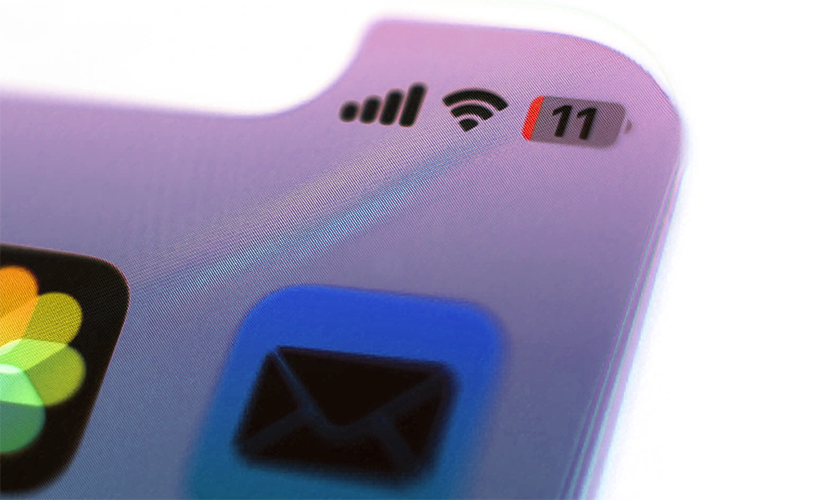
iPhone User Alert: iOS Update Affects Battery Life: The initial update was released to fix more than 25 security issues
Several iPhone users are reporting a considerable reduction in battery life and an increase in device temperature after installing iOS 26.5.2—an update released by Apple on June 29 to patch more than 25 security issues. At the moment, the complaints do not point to a widespread glitch, and the company has not officially confirmed the existence of a problem.
The reports stem mainly from posts made by users on Reddit and compiled by Phone Arena. Among the devices mentioned, the iPhone 16 Pro Max appears prominently, although there is not yet enough data to determine which models might be affected or the exact cause of this behavior.
Users Report Rapid iPhone Battery Drain
One user report indicates that their iPhone began losing between 20% and 30% of its battery in just one or two hours of use without being connected to a charger. Other owners also claim to have noticed the phone reaching higher-than-usual temperatures after installing the update.
Overheating and high power consumption can be closely linked. When the processor runs intensive tasks for extended periods, the device uses more resources, increases battery consumption, and can generate more heat.
However, the available reports only correspond to a portion of users. This means that not all devices running iOS 26.5.2 will necessarily experience the same issues. Apple has also not yet acknowledged a widespread glitch related to this version of the operating system.
This means that not all devices running iOS 26.5.2 will necessarily experience the same issues.
Why an iPhone Can Drain More Battery After Updating
A temporary increase in power consumption after installing an update does not always mean there is a permanent bug in the system.
Background Processes: After updating iOS, the iPhone may perform various background tasks. These can include file reindexing, data reorganization, and updating different system components.
Resource Consumption: These operations require system resources and can temporarily cause higher energy consumption. Depending on the device and the amount of stored information, behavior usually normalizes after a few days.
App Optimization: Another potential cause lies in installed applications. An app that is not yet fully optimized for a new iOS version can keep processes running longer than necessary, consuming a high amount of energy.
In the past, popular apps like Facebook or Instagram have been flagged by users for abnormal battery consumption until new developer updates were released.
In the past, popular apps like Facebook or Instagram have been flagged by users for abnormal battery consumption until new developer updates were released.
How to Check Which Apps are Consuming the Most Battery
Users who have noticed a significant reduction in battery life can check the built-in statistics on the iPhone to identify potential culprit apps. To review this information, follow these steps:
- Open Settings on your iPhone.
- Go to the Battery section.
- Select the option to view detailed battery usage.
- Review the battery usage by app.
- Check if any app shows higher-than-usual power consumption.
- Verify if there is high background activity.
This information allows you to see which applications have used the highest proportion of battery life over the last few hours or days.
If an app shows unusually high consumption, updating it to its latest version can help if the developers have released a patch. It may also be useful to review its permissions and disable background app refresh.
iOS 26.5.2 Fixed More Than 25 Security Issues
The iOS 26.5.2 update was released primarily to patch vulnerabilities and improve system security. Among the resolved issues were flaws related to critical components, including the system kernel and technologies linked to Safari.
For this reason, security updates remain crucial for protecting your device against potential threats, even when isolated reports of performance or battery life issues emerge. If Apple determines that there is a bug directly related to iOS 26.5.2, the company will likely address it in a subsequent update.
For now, these reports should be considered isolated cases experienced by a segment of users rather than confirmation of a widespread problem affecting all iPhones. Those who have installed the update and notice an abnormal battery drop should review their app usage and check if the behavior persists once post-installation indexing is complete.
Links
- The latest stable iOS release is accused of causing rapid iPhone battery drain and more – PhoneArena
- Update your iPhone or iPad – Apple Support
- Sell your pre-owned Apple device online – iGotOffer
- Everything About Apple’s Products – The complete guide to all Apple consumer electronic products, including technical specifications, identifiers and other valuable information.
iOS 26.5.2 – Battery Drain, Overheating and More – Here’s The Fix! [Video]
Video uploaded by Daniel About Tech on July 16, 2026.





Facebook
Twitter
RSS